
Automatic payments (Auto-Pay) eliminate the need to manually log in and make payments each time a payment plan installment is due.
Once enrolled, the upcoming amount due as defined in your payment plan amount is withdrawn from your bank account or credit card. Students must be on a payment plan to enroll in Auto-Pay.
To get started, hover over Billing in the navigation and select Current bill.
Enroll in Auto-Pay
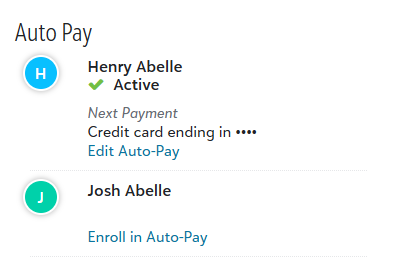
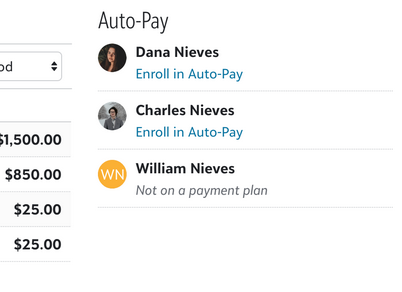
Under Auto Pay, select Enroll in Auto-Pay .
Note that only students enrolled in a payment plan with remaining installments are eligible to enroll in Auto-Pay.
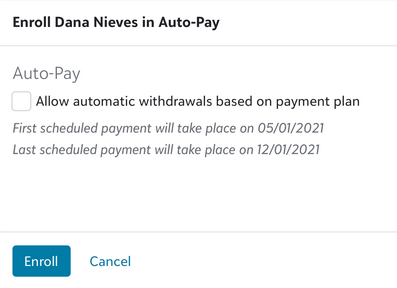
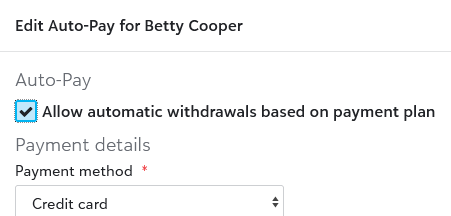
Toggle Allow automatic withdrawals based on payment plan and then review the outlined scheduled payment dates to understand payment frequency and duration.
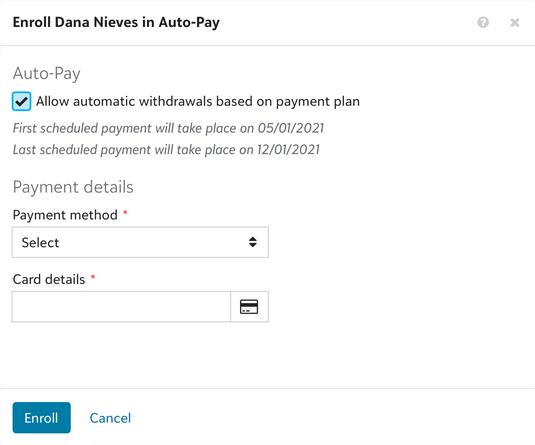
Select your Payment method and enter the corresponding Card details. Once completed, select Enroll.
Pause and resume Auto-Pay
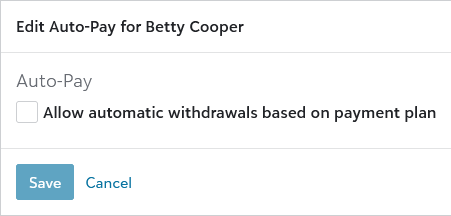
Disable Auto-Pay to prevent automatic withdrawal from your bank account or credit card.
Pause Auto-Pay
Deselect Allow automatic withdrawals based on payment plan.
Resume Auto-Pay
Select Allow automatic withdrawals based on payment plan.
Select Save.
Change your Auto-Pay payment method
-
Select Edit Auto-Pay.
-
Change the Payment method and Card details, as needed.
-
Select Save.